Screenshots
A closer look at the Radegast EDR device management console.
See how Radegast brings devices, alerts, and detection packs together. Select any screenshot to view it at full size.
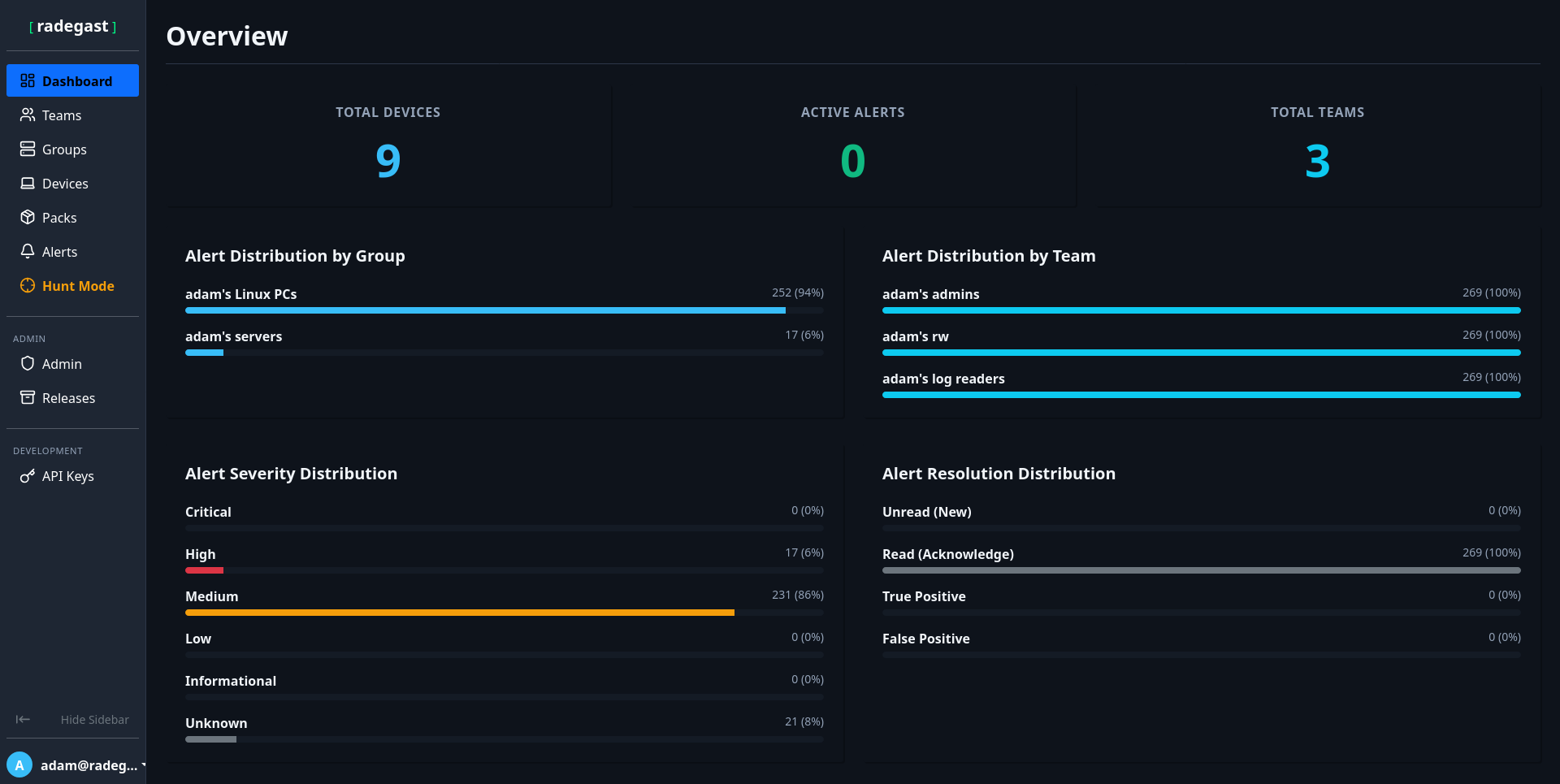
Dashboard
Review device status and alerts that still need attention.
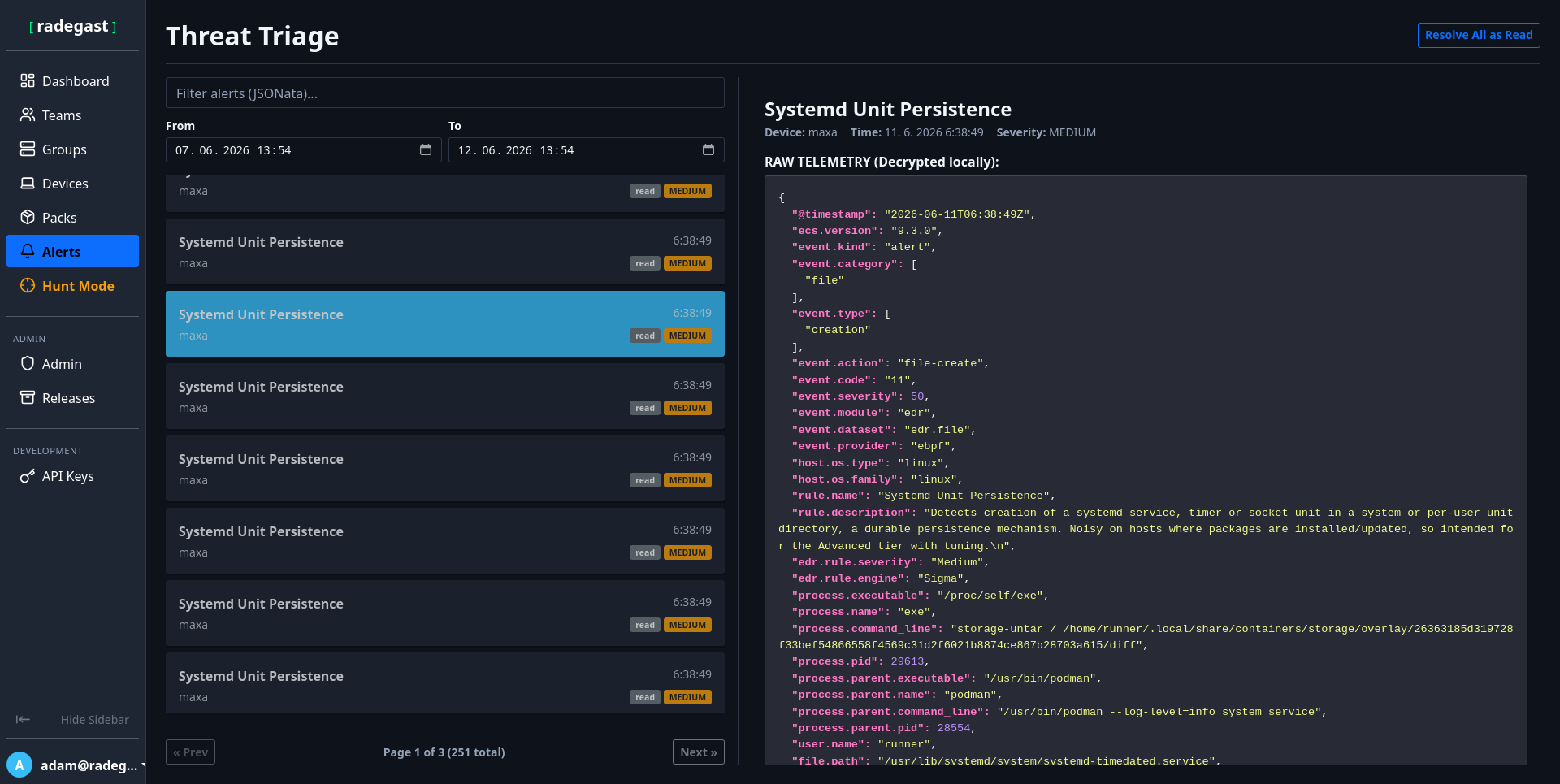
Alert
Alert content is decrypted in your browser. Review the complete endpoint report and create a JSONata exclusion when a detection is a false positive.
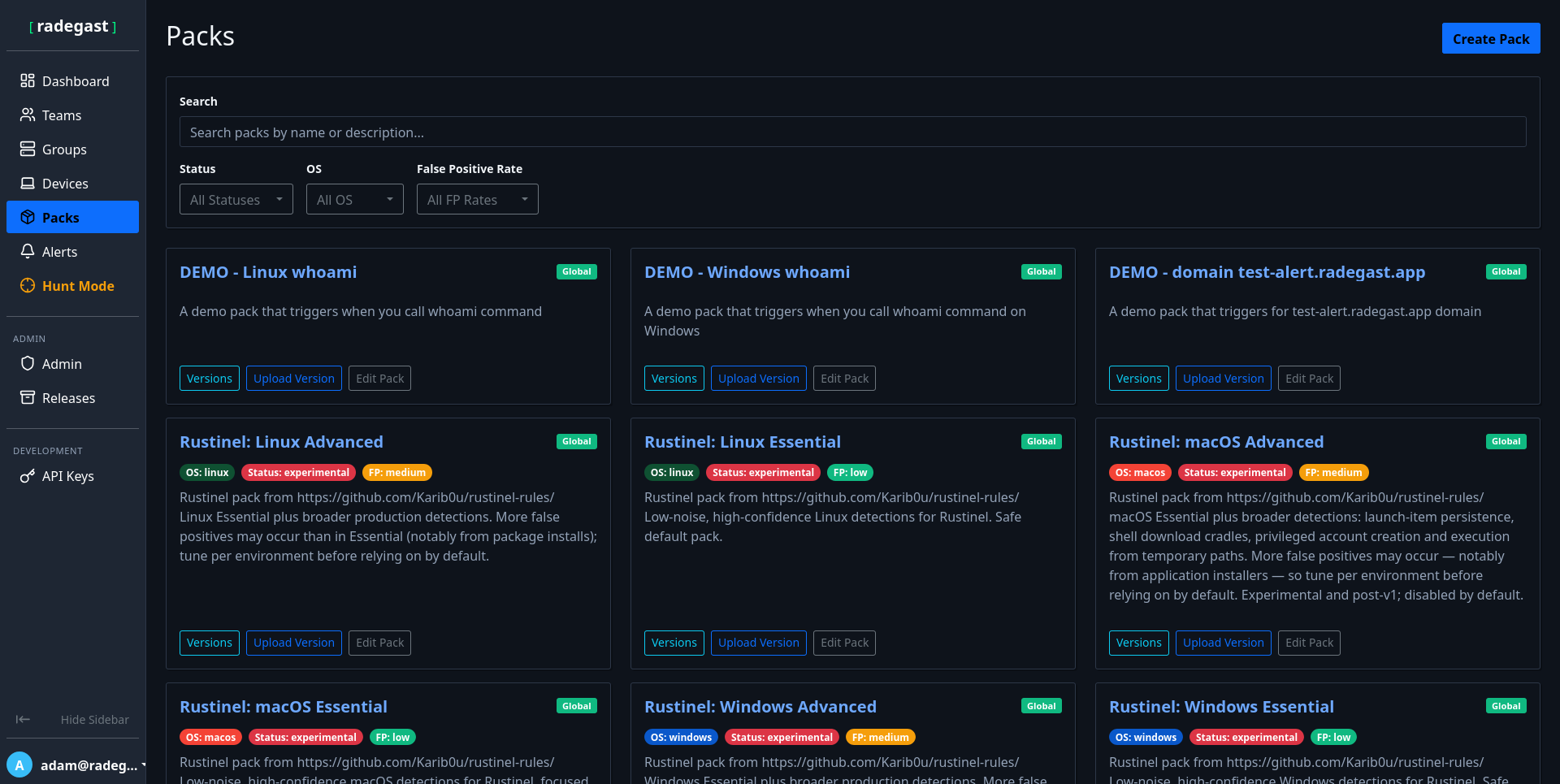
Detection packs
Choose prepared packs for the operating systems and protection level in your environment.